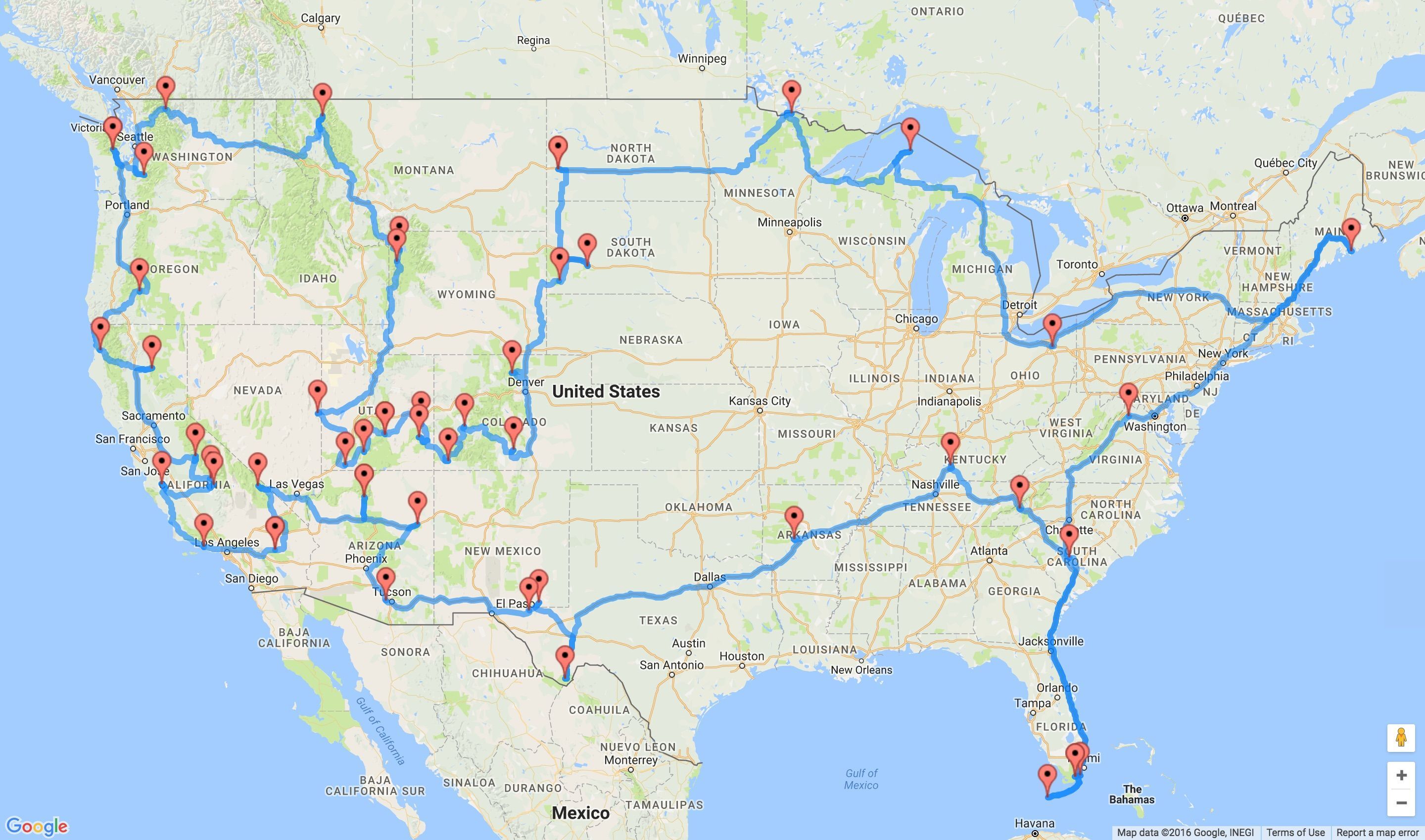
Our goal was to build a Java-based system that calculates driving distances between national parks for use in route planning and optimization.
Team Members:
Madelyn Gray
Addison Cunningham
Emerson Brown
Project Summary & Skills Used
For this project, we developed a Java-based system to generate the preferred route between U.S. national parks using road accurate data. The system reads national park information (name, code, latitude, longitude, and state) from a CSV file (generated using the National Park System (NPS) API) and uses the Google Routes and Distance Matrix API to calculate driving distances between each pair of parks. The resulting distances are stored in a 2D array and exported as a CSV file for further analysis. Our interface allows the user to enter the data necessary to calculate the maximum distance they can travel from start to end point, and any preferred parks or states they’d like to visit. Then the APIs we used calculate the “best” route to maximize the number of parks the user can travel to within their budget, with respect to their preferences.
The intended purpose of this project is to support route optimization and decision-making problems, such as determining efficient travel paths between multiple locations. This type of system can be applied to logistics, transportation planning, and operations research problems like the Traveling Salesman Problem (TSP).
From an Industrial Engineering perspective, this project relates to optimization and network modeling. The distance matrix serves as the input for solving routing problems, which are commonly used in transportation systems to minimize cost, distance, or travel time.
Throughout the project, we practiced several important technical skills. We created custom Java classes to organize and separate functionality (distance matrix, location points, parks, and iterative local search each had their own class). We worked with ArrayList data structures to store and manipulate park data, and used file input/output to read from and write to CSV files. We also integrated an external library (OpenCSV) to efficiently parse structured data. We chose to integrate the external libraries Tablesaw and Vaadin to help with data organization/access and displaying our user interface respectively. Additionally, we gained experience working with external APIs like Google Maps and National Park System’s free API. Our team also gained useful experience in collaborative coding practices, as we met up to code together when working on the same page, and clearly communicated what we were working on while we were away. We delegated tasks throughout the project so that each of our skills could be used in the best places efficiently.
Project Development Process
Our original goal was to create a road trip planner that could generate optimal routes between national parks while accounting for a user’s vehicle. Initially, we planned to include a feature where users could select their car make and model to automatically determine fuel efficiency and driving range. However, we were unable to find a reliable data set with MPG values for a wide range of vehicles, so we pivoted to allowing users to manually input their MPG and gas tank size to estimate range and required gas stops. We also wanted to give the user a list of the best gas stations to stop at on their way based on price, but this ended up being too many pieces to optimize at once. We reduced the size of our destinations data set from the 433 sites in the National Park System down to only the official National Parks that are accessible by car (48) in order to reduce run time and API calls.
As the project progressed, our biggest shift was in the optimization model. We originally attempted to use a Google OR-Tools mixed integer programming model to solve our modified orienteering problem, but we ran into challenges with subtour elimination and the lack of a fixed set of parks, making it incompatible with standard formulations. We then explored several heuristic alternatives, including generating permutations, backtracking, depth-first search, and ant colony optimization, but we ultimately settled on an iterative local search (ILS) heuristic.
Our final model starts with a greedy initial solution, then applies perturbations to escape local optima and iteratively searches for improved routes. The best solution is selected based on maximizing the number of parks visited while minimizing total distance. Overall, our final project evolved significantly from our initial plan’s modeling techniques and scope, but it closely matched our original design vision and resulted in a functional and realistic road trip planning tool.
Key Features
One key component for our website is the integration of the Google Routes and Distance Matrix APIs to generate a real distance matrix between national parks. Instead of using straight-line distances, our system calculates actual driving distances based on real roads, so the results are accurate, applicable, and easily displayed on a map.
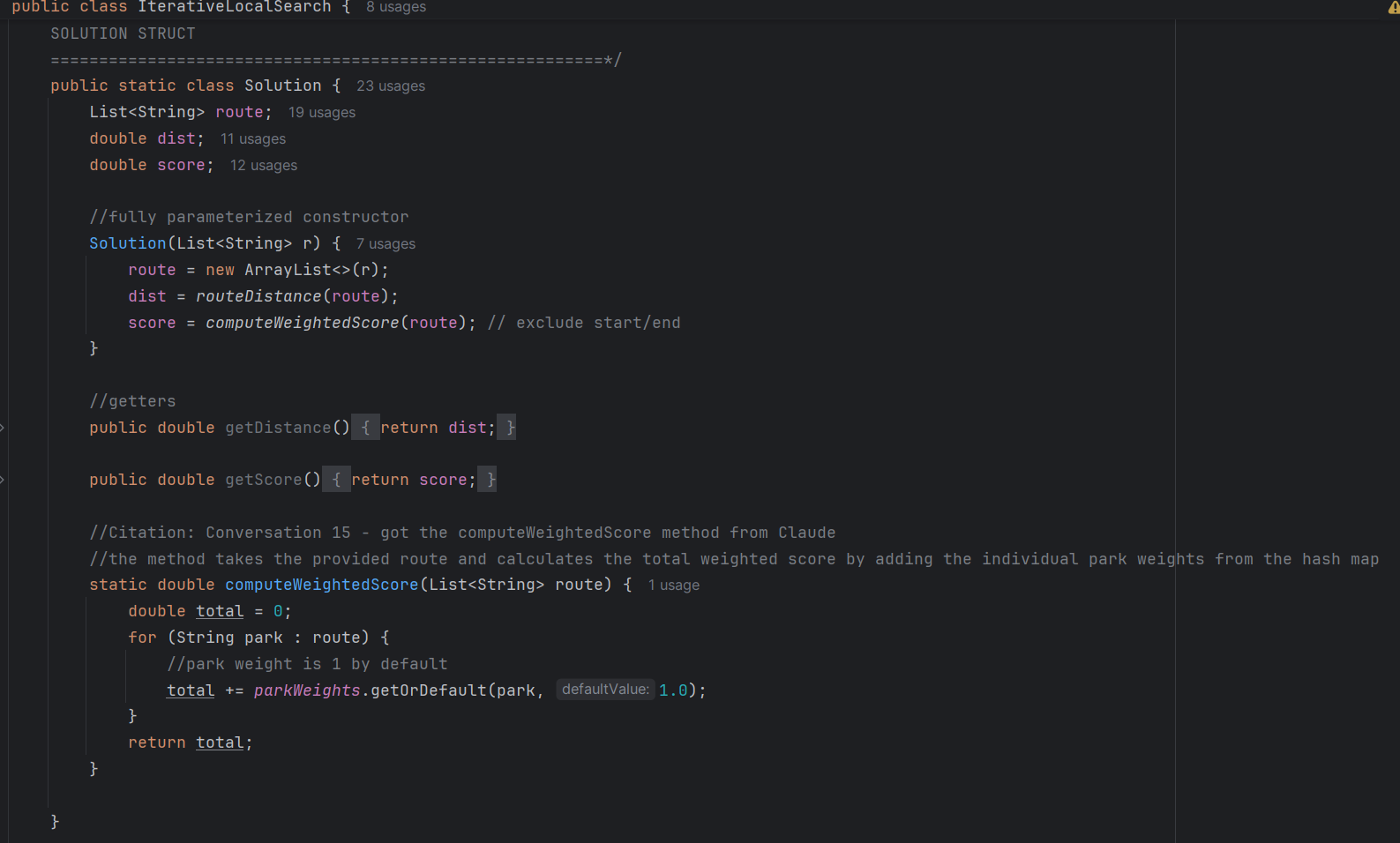
Our iterative local search model was the most time consuming part of our system to integrate. With the help of different AI tools, we wrote a class for this heuristic approach that integrated the user specified budget as a constraint, the start and end locations specified by the user, the round trip and one way features, and weighted scores for preferred parks and states. The final routes generated by this heuristic aren’t optimal, but they are close to the best since the run time and computational are supported by a regular laptop, and therefore usable by the average person. Below is our solution class within iterative local search:
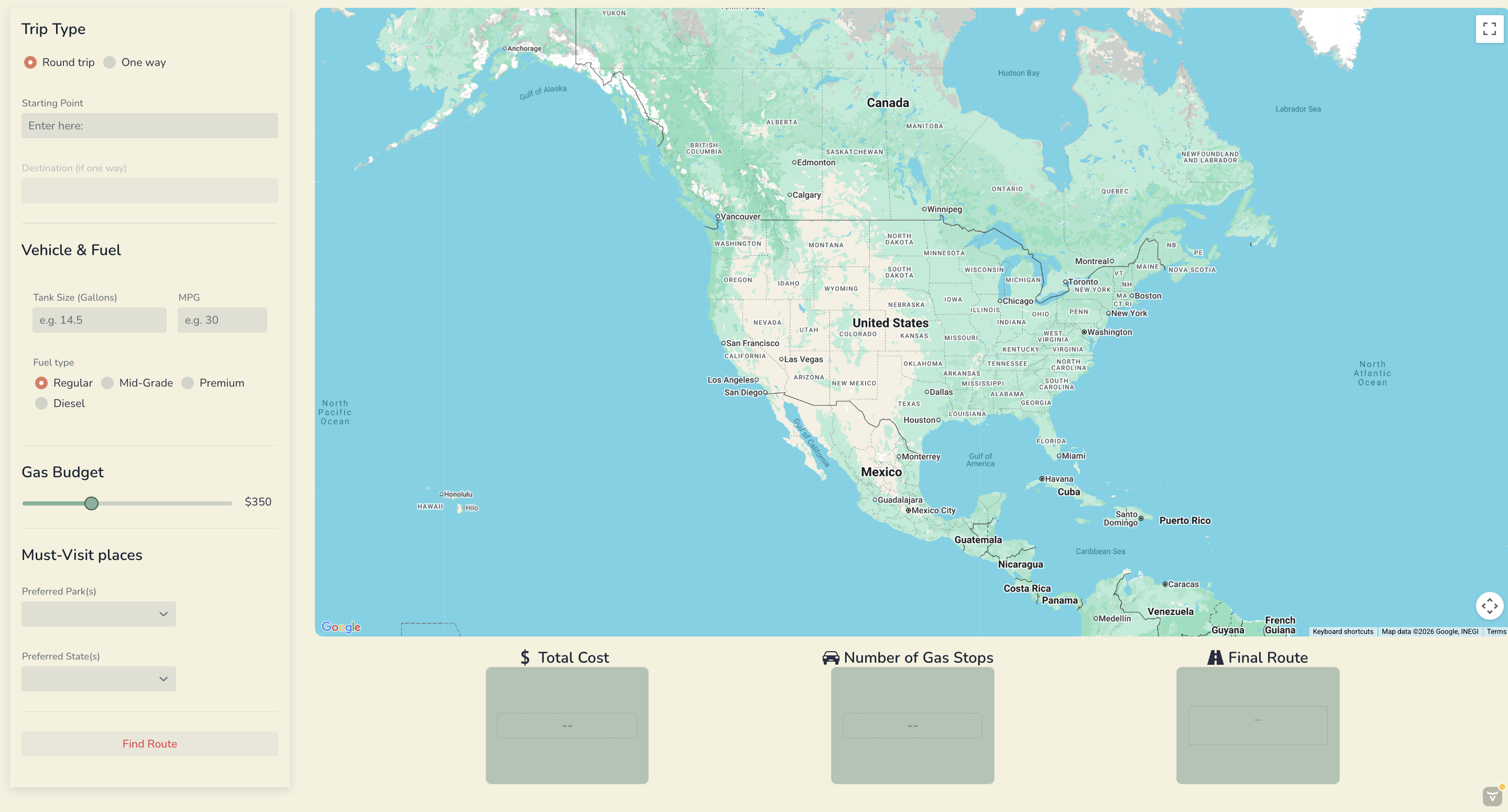
The autocomplete feature on the Starting and Ending Point fields is something that elevates the user experience and makes it feel like a fully developed website. This was done by using Google Maps Places API. Without this feature, it would be difficult to ensure the user enters in a correctly formatted input to be read by our API. This would make the system less reliable and harder to use.
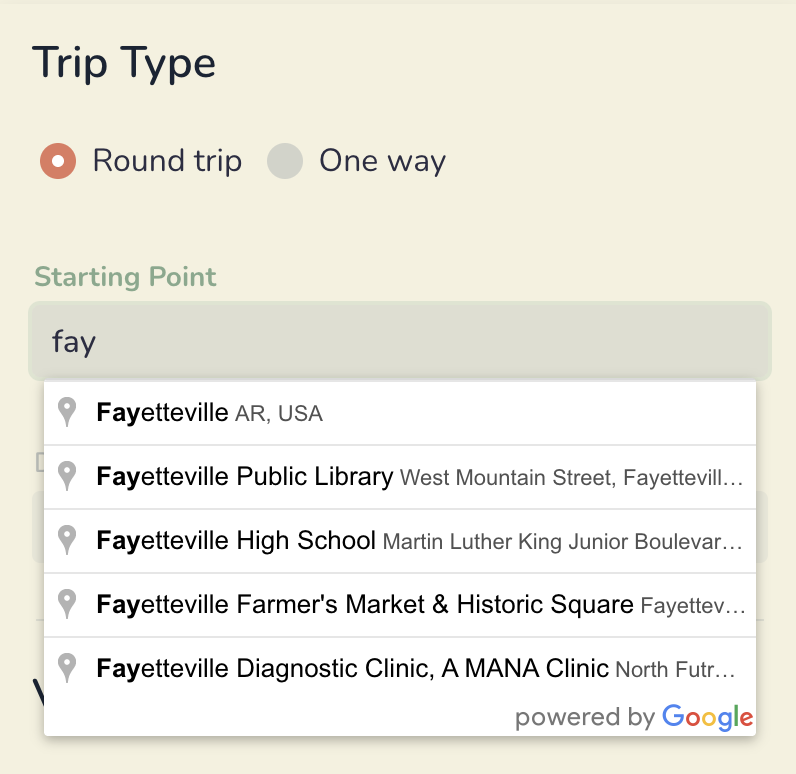
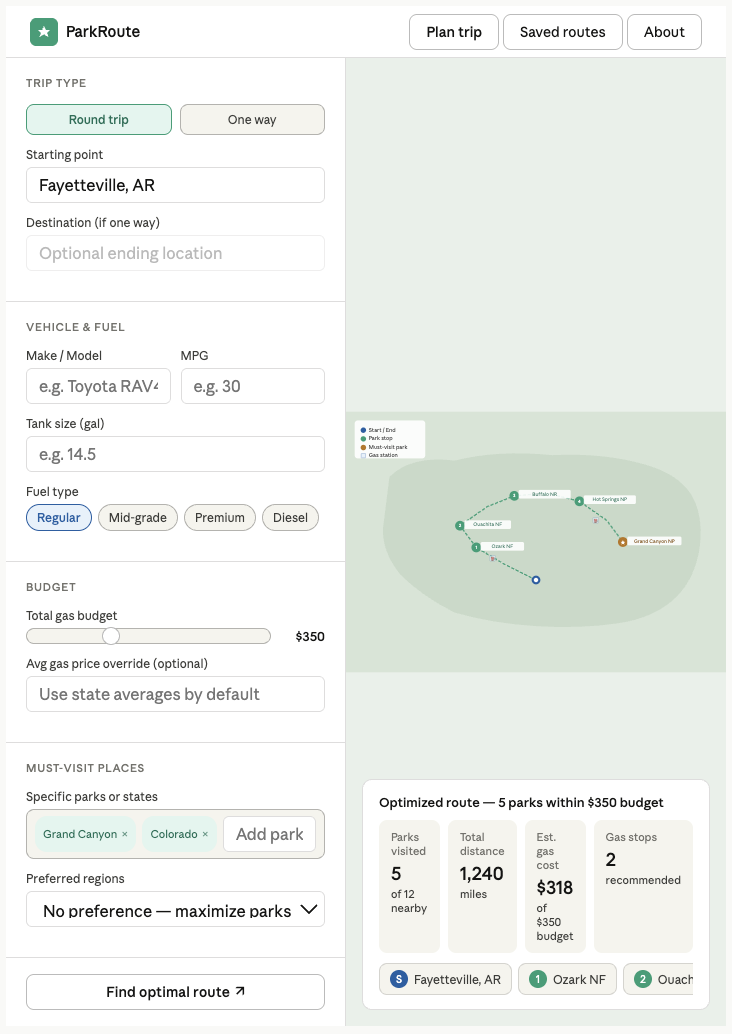
The overall visual appeal of our website is something we spent a lot of time on. We first chose a color scheme that reminded us of road trips and nature. This attention to design makes the application feel like a complete product rather than just a technical prototype.
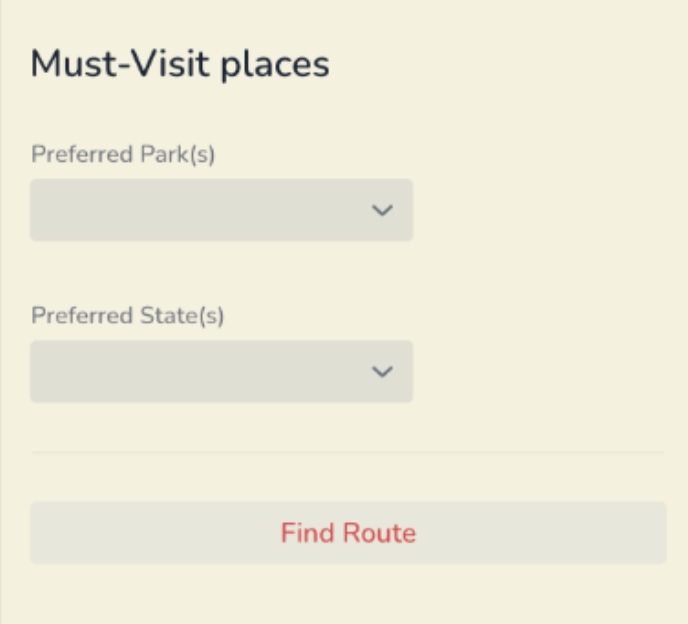
Finally, the preferred parks and states input features add realism and flexibility to the model. Users often have specific destinations in mind, and this feature allows them to prioritize certain parks while still finding a feasible route. This increases practicality because the preferrences chosen are then weighted more heavily in our model, but a route will still be generated if it’s infeasible to go to the parks specified.
Reflection
Throughout this project, I learned that collaborative coding can do wonders to increase your code complexity, but that it requires being super early and on top of things. Scheduling meetings around everyone’s classes and activities proved to be difficult at the beginning, but near the end of the project, we had a better grasp on how much time we needed to spend working on it.
Debugging was a major part of my contribution to the project. Once we programmed all the classes, we went to generate our final 48 x 48 distance matrix, and over half of the routes weren’t found. This sent me down a rabbit hole trying to figure out how to fix it. The initial idea was to transition to placeIDs (google maps unique IDs for each place) so the latitude and longitude accuracy wouldn’t be a problem. However, after we integrated that, the Places API was giving us trouble and the feature ended up not working. Because the problem was the coordinates of some of the national parks were dropping to places that weren’t drivable (like the middle of a forest or river), I pivoted to the free NPS API. This API generates the visitor center coordinates for each park (based on their NPS park codes) which are guaranteed to be drivable. There ended up being two parks where the coordinates didn’t work, so I had to manually go and find those, then our distance matrix was successfully built. This experience really taught me not to panic when it seems like an integral part of my code is failing. I just had to research solutions, and be okay with pivoting when something wasn’t working.
I did the optimization modeling from start to finish in our program. I initially started with Google OR-tools, but after a week and a half of trying to figure out how to model our problem, I decided we needed to change strategies. For the application at hand, a heuristic was acceptable because of the user use case (didn’t need it to be optimal, just close to it). I started with algorithms we have already learned, like Heap’s algorithm and depth-first-search, but ran into problems with both. Heap’s algorithm had trouble generating all possible permutations because of 48!’s size, and it didn’t account for the cases where you didn’t have to go to every park. Depth-first-search went in a different direction than I was looking for with decision trees and other data structures that would’ve been unnecessary to implement. After long hours of research, and some ideas from other programmers, I found the iterative local search model. It was perfect for our application and only required a few tweeks to fit with user entered information. I was very proud of the process leading up to our final model because I felt like my problem solving optimization skills were really stretched
I grew as a teammate in being okay with things not getting done in my preferred timeline. Every team member has a different way of working, and I couldn’t be as rigid as I am in my own school work in order to keep relationship with my team. I learned to let go of control a little more in order to use each team member’s strengths. I had to trust that my teammates would put in their best effort without my help, and what led from that was a super cool and visually appealing user interface that I couldn’t have done by myself even if I wanted to.
I feel more confident about using tools that we haven’t used in class now because of all our API integration. I learned how to use AI in collaboration with my own knowledge to do things that I haven’t done before and I will be taking these skills with me to future classes and the work force. I also feel more confident about group projects and leading them in the future. I took on more of an administrative role in this project to make sure that everything was getting done in a timely manner, and it did. So, I’d like to keep exercising my leadership skills in future projects where I feel uncomfortable with the topic at hand.